 evomedia.net
User
Are you online?
This is the unedited working session behind the write-up — every wrong turn included. Machine-identifying details are redacted; nothing else is changed.
Part two. The app was rescued by removal, reboot and reinstall — and every existing Code session stopped connecting. What follows is the unedited hunt: four wrong theories, one script that made things briefly worse, a case-sensitivity bug nobody asked for, and the two log lines that finally contradicted each other.
After the removal-reboot-reinstall that rescued the app, every pre-existing Claude Code session in
the Desktop app hangs for two minutes on any prompt, then fails:
“Remote Control host unreachable (computer_unreachable).” New sessions work. The same old
sessions render normally on the mobile app, and their transcripts resume fully in the CLI via
claude --resume <id> — so the sessions are intact both server-side and locally.
The evidence, in two log lines. The Desktop Code tab reaches the local session host
through a cloud relay
(wss://bridge.claudeusercontent.com/devices/<device-uuid>_<account-uuid>/rez/bridge).
The device connects and authenticates with an unchanged device ID across the reinstall — but
at 11:11:37 it registered ~35 tools including the full computer_* family, and at 13:10:38
it registered nine, with every computer_* capability missing. Sessions
that need those capabilities can never be served; the bridge waits, times out, and reports the host
unreachable. Sessions that don’t need them — new ones — work, which made the failure masquerade
as session orphaning for most of a day.
Aggravating factors. /remote-control hangs indefinitely in a
Desktop-hosted session with zero log output. The device side logs nothing at the moment of failure.
DevTools is disabled in the packaged build (Ctrl+Shift+I is rebound to the model selector), so the web
layer’s error is visible only through the banner’s “View details”.
Second defect, found en route. Claude Code keys project state in
~/.claude.json on the raw working-directory string. On a case-insensitive filesystem, one
lowercase cd creates case-variant duplicate keys
(evomedia.net\smartplantehs vs evomedia.net\SmartPlantEHS), which make
the file invalid JSON — after which the CLI reports “settings.json is malformed” and refuses to
start. Reproducible on any Windows machine in about ten seconds.
Status. Unfixed. Desktop chat and new Code sessions work; pre-reinstall sessions are accessible only via the CLI.
Verification note: #60356 and #29006 were returned by a live documentation search during the session and are considered solid; verify before citing regardless. The two unfiled items are new from this investigation and match no existing report found.
wss://bridge.claudeusercontent.com/devices/<device-uuid>_<account-uuid>/rez/bridge. “Can’t reach your computer” is the web side of that bridge failing — the device side connects, authenticates, and logs nothing at the moment of failure.computer_* family is missing. Sessions that need those capabilities hang for two minutes, then fail with computer_unreachable. New sessions don’t request them, so they work — which is why the failure masqueraded as session orphaning./remote-control hangs indefinitely in a Desktop-hosted session, with zero log output. DevTools is disabled in the packaged build (Ctrl+Shift+I opens the model selector), so the web layer’s error was only ever visible through the banner’s “View details”..jsonl under ~/.claude/projects, and claude --resume <id> opens them with full history, no bridge involved.~/.claude.json on the raw working-directory string. On a case-insensitive filesystem, one lowercase cd creates case-variant duplicate keys, which make the file invalid JSON — after which the CLI reports “settings.json is malformed”. Trivially reproducible on any Windows machine.Remove-AppxPackage does not remove %APPDATA%\Roaming\Claude; the app reads its config from the virtualized LocalCache\Roaming\Claude path and will silently regenerate it from defaults.Are you online?
Yes — web search and this thread's full context intact. Which did you mean?
Claude Code thinks this local session is remote and just stops.
Also: I seem to have lost my preferences, I have a backup at "evomedia.net\claude_desktop_config.backup.json".
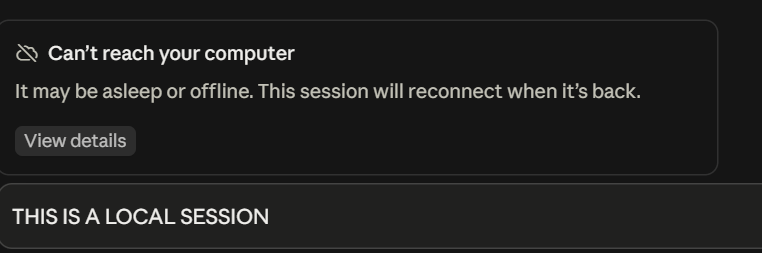
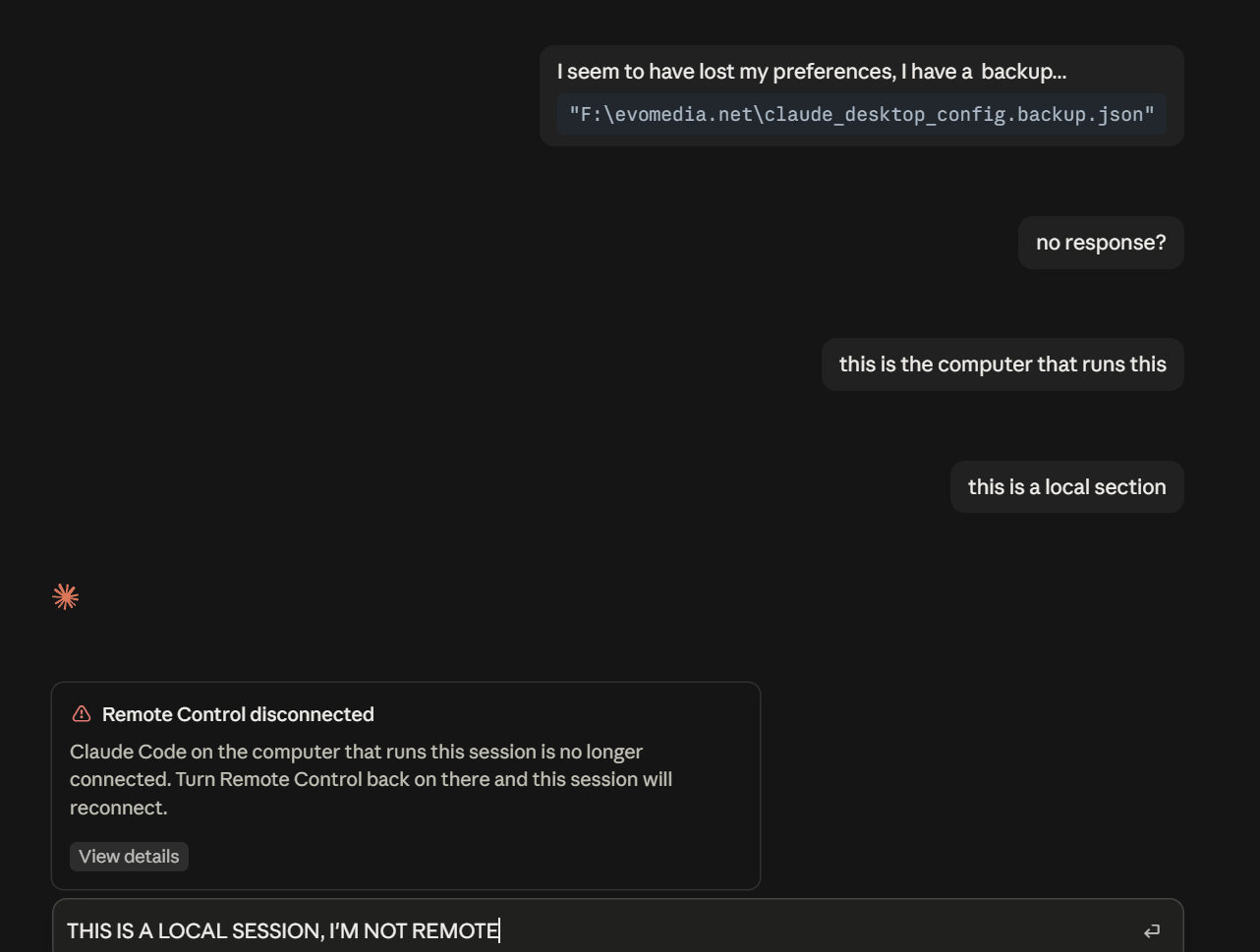
Remote Control is the mechanism the mobile app and web use to drive Claude Code on your machine. The fresh install re-registered the desktop as a Remote Control target, so the session got classified as remote-driven even though you're at the keyboard. The disconnect banner is real; the "remote" framing is the misclassification.
(Later disproven — the actual mechanism turned out to be different. Kept for the record.)
The preferences restore is a file copy:
Copy-Item "evomedia.net\claude_desktop_config.backup.json" `
    "$env:APPDATA\Claude\claude_desktop_config.json" -Force
Then fully quit the desktop app — tray icon too — and reopen. And check which install you got: if Get-AppxPackage returns a package, you're back on MSIX and the whole apparatus reinstalled with it.
[config restored, first lines echo coworkUserFilesPath and a chromeExtension pairedDeviceId]
Config's in place. One flag: pairedDeviceId is a stale pairing token from the old install — if Claude in Chrome misbehaves, re-pair rather than debug it. (This token later turned out to be unrelated to the session problem.)
[Get-AppxPackage: Claude 1.37937.0.0, C:\Program Files\WindowsApps\Claude_1.37937.0.0_x64__pzs8sxrjxfjjc]
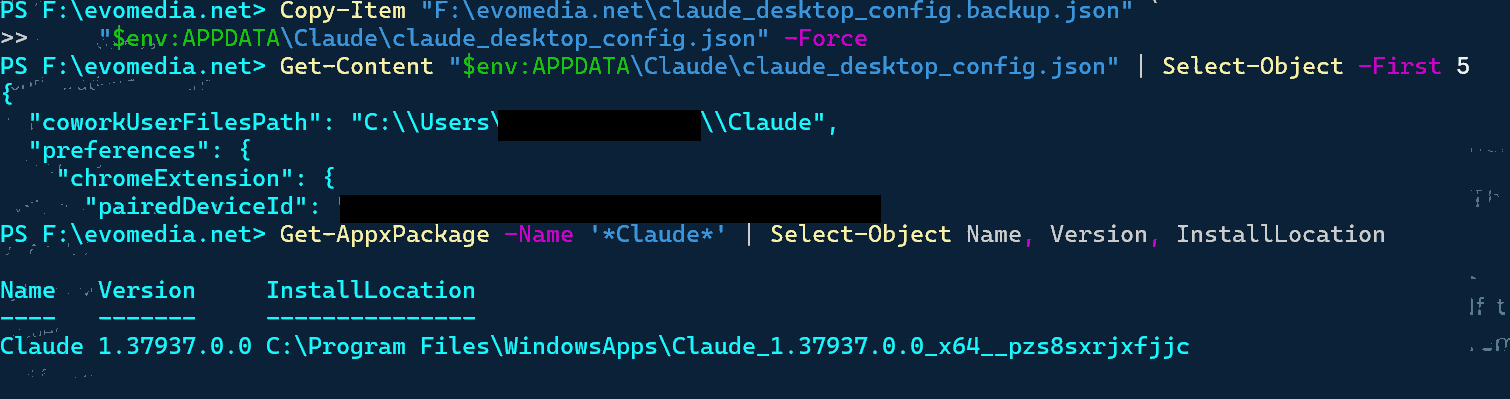
You're back on MSIX. Same version, same package family — the .exe is an AddPackage bootstrapper, so it reinstalled exactly what we removed, CoworkVMService included.
There is no non-MSIX Windows build. My "move to Squirrel" advice was wrong — I took it from a GitHub comment describing an older packaging arrangement and never verified it. It doesn't apply.
Consequences: the config may need to go to the virtualized path instead, and the next update can do all of this again. The recovery, if it does:
Get-AppxPackage -Name '*Claude*' | Remove-AppxPackage
# reboot, reinstall
Skip everything else — the service disabling, the policy keys, the handle closing. All of it gets reverted by the deployment handler.
give me the copy command, I just don't want to do it
$dst = "$env:LOCALAPPDATA\Packages\Claude_pzs8sxrjxfjjc\LocalCache\Roaming\Claude"
New-Item $dst -ItemType Directory -Force | Out-Null
Copy-Item "evomedia.net\claude_desktop_config.backup.json" `
"$dst\claude_desktop_config.json" -Forceno luck, give me the exact commands in a "plz-work.ps1"
(Script delivered: closes the app cleanly, restores the config to both candidate paths — the virtualized LocalCache one and %APPDATA%\Claude — backs up whatever was there, and verifies the JSON parses. Included in scripts/.)
I'm done but where would I disable remote, asking for a friend...
Searched the docs rather than guessing: the toggle is in the Desktop app under Settings → Claude Code → Enable remote control, and inside a session /config has "Enable Remote Control for all sessions". A false in .claude/settings.json (remoteControlAtStartup) overrides even a managed true.
Also: Remote Control normally only activates when explicitly invoked, unless auto-connect is on. If you never turned auto-connect on, the toggle isn't your problem — it's issue #60356, where the Desktop toggle doesn't propagate on Windows.
(Suggesting this toggle be turned off was itself a wrong turn — it produced a symptom that consumed the next several hours.)
[.claude settings.json: hooks (UserPromptSubmit → repo-state.sh), autoUpdatesChannel, theme]
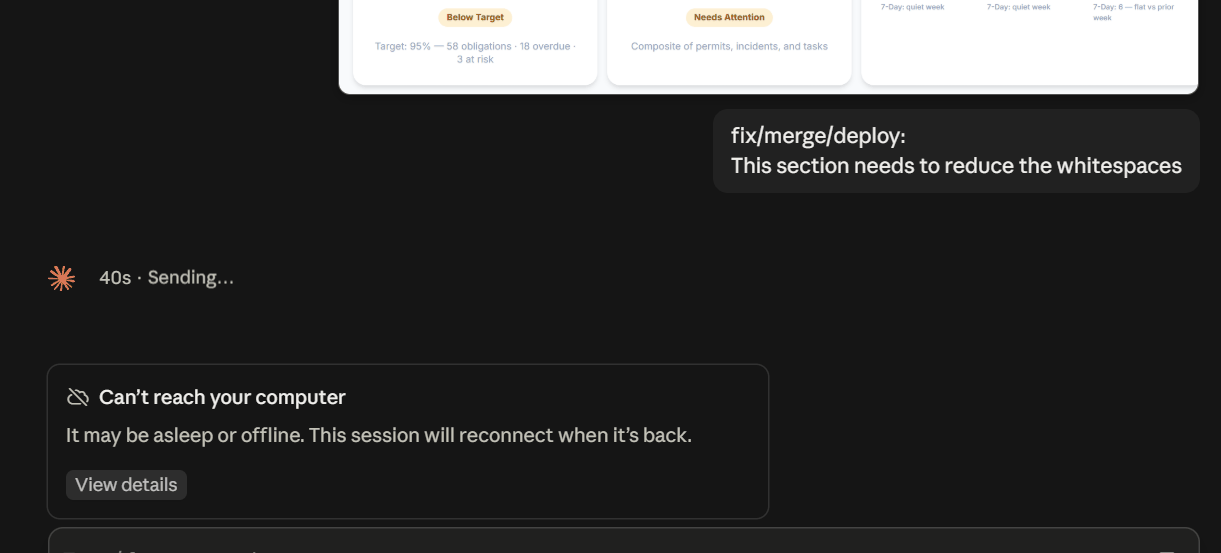
No remote-control key — matches #60356. But look at the hook: repo-state.sh runs on every prompt with a 15s timeout, and your screenshot showed 40s of Sending before the banner. If that script hangs, the front end reports the stall as "can't reach your computer". Time it: Measure-Command { bash "$env:USERPROFILE/.claude/hooks/repo-state.sh" }
was instant
Hook's clean. Scratch that theory.
it is tomorrow :) ... I am back trying to work this morning. I can't get the code prompt to do anything other than the error.
Every prompt hitting the banner means the session isn't establishing at all. Fastest route around it: run Claude Code from a terminal — different entry point, doesn't touch the Remote Control path. And fully quit Desktop (tray too) — it hasn't had a clean start since the reinstall.
cli is fine
Diagnostic gold: same machine, same account, same project — works in a terminal, dies in Desktop. The fault is isolated to Desktop's session-hosting layer. Nothing's wrong with your environment.
not acceptable
Agreed — workarounds aren't fixes. The banner tells us nothing; the logs will. (Log hunt followed: ProgramData\Claude\Logs had only the cowork service logs; the package's LocalCache had nothing; a recency sweep finally found the app's real state in %APPDATA%\Roaming\Claude and its logs in %LOCALAPPDATA%\Claude\Logs — main.log, claude.ai-web.log, ssh.log, unknown-window.log and friends.)
[main.log tail: a giant PATH dump, then repeated errors — [LocalMcpServerManager] Failed to connect to plugin:prisma:Prisma-Local: Connection closed]
Three signals: the app is on 1.37937.1.0 now (you reinstalled to a patch release); the visible error is a Prisma MCP server dying on spawn — annoying, probably not the session-killer; and nothing at prompt-send time is in this tail. Grep all six logs at once after a repro.
[full grep sweep across all logs: MaxListeners warnings, CSP violations, BuddyBleTransport errors — and in main.log: [remote-tools-device] connecting DO bridge with: get_device_info, ... computer_screenshot, computer_left_click, ... (~35 tools) [remote-tools-device] connecting wss://bridge.claudeusercontent.com/devices/<device-uuid>...(device)_<account-uuid>...(account)/rez/bridge [remote-tools-device] authenticated]
The architecture just showed itself. The Code tab is the claude.ai web UI in an Electron shell, reaching your local session host through a cloud relay — that wss://bridge.claudeusercontent.com/devices/<id> line. "Can't reach your computer" is the web side of that bridge failing to find your device. The device side connects and authenticates fine, one second before the banner.
My theory at this point: the reinstall minted a new device identity, and old sessions are pinned to the dead one. (This theory was later disproven by the logs themselves.)
so...riddle me this Claude Code, all existing sessions won't run, same issue. A new session runs just fine.
(Confidently declared this confirmed the device-ID orphaning theory — old sessions bound to a dead device, new ones to the live one. Wrong, as the device ID later proved stable. The useful part:) The sessions themselves aren't lost. Transcripts are local .jsonl under .claude\projects\ — the CLI resumes them directly:
cd evomedia.net\smartplantehs
claude --resumesays my settings.json is malformed now
(Checked the user-level file — valid. Checked the CLI's own state file:)
Get-Content "$env:USERPROFILE\.claude.json" -Raw | ConvertFrom-JsonConvertFrom-Json : Cannot convert the JSON string because a dictionary that was converted from the string contains the duplicated keys 'evomedia.net\smartplantehs\.claude\worktrees\elegant-mestorf-d48cba' and 'evomedia.net\SmartPlantEHS\.claude\worktrees\elegant-mestorf-d48cba'.
Found it — duplicate keys differing only by case. smartplantehs vs SmartPlantEHS. JSON treats those as distinct keys; Windows treats them as the same path. Claude Code keyed a new project entry off the literal cwd string when you cd'd in lowercase. One lowercase cd corrupts the CLI's own state file into JSON its tooling then rejects as "malformed settings".
(A Node dedupe script fixed it — with a flaw that surfaced twenty minutes later.) Then resume from the correctly-cased path so it doesn't regrow. (Also backwards, as it turned out.)
Heavens to Betsy! evo.ehs is back online!
Final tally for the writeup — the two new ones nobody's filed: reinstall orphans every existing Code session with zero device-side log output (half right), and Claude Code keys ~/.claude.json on the raw cwd string, so case-variant paths on a case-insensitive filesystem corrupt its own state file. That one's trivially reproducible on any Windows box.
so...want to create a script that does this for each pinned code session? Super duper pretty please!
(Delivered Restore-ClaudeSessions.ps1: inventories transcripts, repairs .claude.json duplicates, resumes from true on-disk casing. Two defects, both mine: the dedupe merge let one entry's fields clobber the other's session list, and "resume from corrected casing" pointed the CLI at the wrong project bucket — transcripts are filed under the path as originally recorded. Included in scripts/ as an artifact of record, with warnings. Do not run it as-is.)
so...um...it totally removed my evo.ehs session when I selected "1"
Stop — don't pick anything else. The script makes exactly one write: the .claude.json dedupe. It never opens the transcripts for writing. Verify the .jsonl files first, then restore the pre-fix backup:
Copy-Item "$env:USERPROFILE\.claude.json.pre-fix-<timestamp>" "$env:USERPROFILE\.claude.json" -ForceThe merge kept the properly-cased entry and let its fields win — if the session list lived in the lowercase entry, the registry pointing at your session got clobbered. The transcript survives; the pointer didn't. My error.
of course I stopped!
[directory listing: 27 .jsonl transcripts, including one at 58 MB and another at 126 MB written today]
Everything's intact — nothing was deleted. Restore the registry backup and resume from whatever casing the session was created with, mismatched or not. Two things I got wrong, for the record: the casing "fix" was backwards, and the dedupe merge was lossy. The real lesson is smaller than any script: don't cd with the wrong casing — tab-completion gives you the on-disk name for free.
fixed. ... I see it in cli but not in sessions ... still not in sessions ... so I can't use desktop app you are saying?
No — the desktop app works. You're using it for this conversation, and new Code sessions run fine. What doesn't work is the old sessions in the Code tab's list. I've been sloppy saying "can't reach your computer" as though it applied to the whole app. It's one list of stale entries, not the product.
so to be clear, claude update broke every current session when I re-installed?
Precisely, separating established from inferred: Established — the update broke the app; removal+reboot+reinstall fixed it; afterward old sessions won't run in Desktop while new ones do; transcripts intact. Inferred, not proven — the device-ID orphaning story. It could equally be server-side session state invalidated when the old package deregistered. The honest answer: probably, but not demonstrated.
I want the full facts...would it help any if I had backed up %TEMP%\claude — Oh wait, I did back it up!
Almost certainly not — %TEMP%\claude is scratch space, not identity. And the state you'd have wanted (%APPDATA%\Roaming\Claude) was never deleted by any of this — Remove-AppxPackage doesn't touch it. Which is itself evidence against the local-identity theory. Backing up before a destructive step was still the right instinct.
all show up [on mobile], minus evo.ehs and fail on a command due to no remote connection started
That settles it, and it flips my theory. Sessions are alive server-side — they render on mobile. What fails is the connection to your machine. (Attributed this to the Remote Control toggle being off — partially right at best; the toggle went back on and sessions still failed. The evo.ehs list entry likely died with the clobbered registry entry, but its 58 MB transcript resumes fine.)
so...crazy idea...are these the old ids? [chromeExtension pairedDeviceId block]
Testable in one command — and no: that's the Claude-in-Chrome pairing, a different subsystem. Neither ID matches the bridge URL. Stale and worth clearing for its own sake, but not your session problem.
I already had tried, all sessions there, none work, evo.ehs still gone. I had so much context there that i really don't want to redo :(
The context isn't gone. The .jsonl IS the conversation — every turn, every tool call. The list entry is a pointer, and the pointer is what broke.
cd evomedia.net\smartplantehs
claude --resume <session-id>
Lowercase, deliberately — that's where the transcript is filed.
that's great and all but I DO NOT want to stop using the desktop version, that won't change
Understood — CLI is a workaround, not an answer. What we've never captured is what the app reports at the moment of failure: DevTools is disabled in the packaged build (Ctrl+Shift+I opens the model selector), and the local logs record nothing.
[screenshot: the banner expanded — "Remote Control host unreachable (computer_unreachable)"]
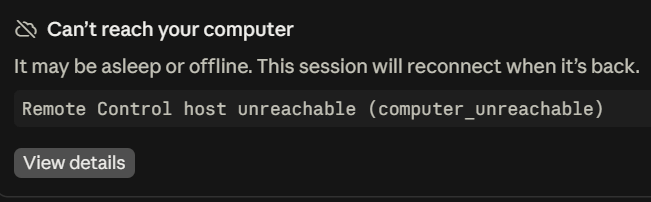
computer_unreachable — the error code we've been chasing all day. Read literally: the bridge has the session, tried to reach the Remote Control host on your machine, and got nothing. Not "session not found", not "unauthorized" — the host didn't answer. The device-tools channel connecting at 11:11 is a different channel from the Code session host, and nothing in any log ever showed a Code host registering.
so like, i ran it first, as a compare for before running /remote-control, whattaya think?
[main.log 13:10: [remote-tools-device] connecting DO bridge with: get_device_info, device_list_dir, device_stage_files, device_commit_files, list_artifacts, create_artifact, update_artifact, device_request_folder_access, project_memory_read, project_memory_write (+0 grand-prix, +0 local-mcp, +0 direct-mcp) ... same device URL ... authenticated ... device registered — refreshing row PK ... reconnect #1 ... authenticated]
Good instinct taking the baseline first — it's more informative than expected.
The device ID is unchanged — same as this morning, same as yesterday. The reinstall did NOT mint a new device ID. My orphaning theory is dead; this log kills it cleanly.
And it's registering the wrong toolset. The 11:11 connect advertised ~35 tools including the whole computer_ family. This one advertises nine — every computer_ capability gone. That's the Remote Control host not registering its tools, and computer_unreachable is the bridge saying exactly that: device present, capability absent.
three runs [of /remote-control], same result each time... [log shows no new registration] ... just: Xs Sending... Stopped at 2min ... they always did that ... [scope: only the pre-reinstall sessions hang; new sessions respond normally]
Then the picture is finally coherent, and it's one bug rather than the five I've been chasing:
Pre-reinstall sessions need the computer_* capabilities. The device registers nine tools instead of thirty-five, so those capabilities are never advertised. The bridge waits, nothing answers, two minutes later it paints computer_unreachable. New sessions don't request those capabilities, so they work.
Everything else — the device ID, the pairing token, the casing, the toggle — was noise I generated.
One local variable left: the Prisma server failing to spawn right before the truncated registration.
[the config turns out to have been regenerated by the app — no mcpServers block at all; the F: backup has no mcpServers either; the plugin list has no Prisma]
Which clears Prisma three times over: it isn't in the live config, wasn't in the backup, and isn't among the installed plugins — the plugin:prisma:Prisma-Local in the logs comes from somewhere not yet located, and it's already ruled out as the toolset culprit. The truncated registration happened with no MCP servers configured at all. The short toolset is the app's own behavior. Local investigation is done.
list the fix exactly, for the record
There is no fix. For the record:
Fixed today: the app itself (removal + reboot + reinstall, carried over from part 1), and .claude.json (restored from the pre-fix backup after my dedupe script corrupted a session registry entry).
Not fixed: pre-reinstall Code sessions in Desktop. They hang two minutes, then computer_unreachable. Nothing I provided changed that.
Current state: Desktop chat works; new Code sessions work; old sessions broken in Desktop but fully accessible via claude --resume <id> with complete history; MCP servers unconfigured (the app regenerated its config from defaults).
The evidence: device authenticates fine; at 11:11:37 it registered ~35 tools including the full computer_ family; at 13:10:38 it registered 9, no computer_; device ID unchanged throughout, including across the reinstall; sessions render on mobile, so server state is intact; /remote-control hangs indefinitely with zero log output.
Those two log lines are the bug. Everything else I theorized — orphaned device IDs, stale pairing tokens, path casing, Prisma — was wrong.